
A clearer picture of your SSD
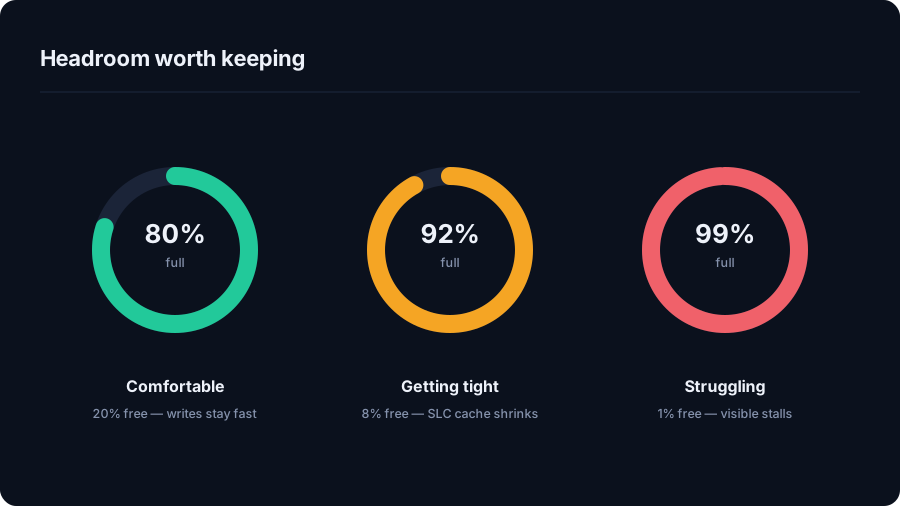
The amount of free space that suits an SSD depends on its capacity and workload. A laptop used mainly for documents has different storage needs from a machine handling video exports, virtual machines or development projects. DriveXos makes that question more practical by showing the storage you have and the files occupying it.
Its drive overview, folder size breakdown and visual treemap give the numbers context. A large downloads folder, an old project or a collection of installers becomes easier to recognise when it is visible alongside everything else.
More useful than a single percentage
DriveXos helps identify the files behind a low-space warning. The Large Files view highlights individual items, while the Storage Analyzer shows which folders account for the biggest share of the drive. That helps distinguish a few unusually large files from many smaller folders that have accumulated over time.
For developers, the developer cleanup tools bring attention to dependency folders and build caches. Duplicate detection can also reveal repeated file content. These tools address different causes of storage pressure rather than assuming every full SSD has the same problem.
Headroom with a review before cleanup
The cleanup preview shows selected items, sizes and risk information before removal. DriveXos separates understanding disk usage from authorising a deletion, so a large file is not automatically treated as unwanted.
The result is a more informed way to make room for future work. DriveXos helps recover storage from items you no longer need; it does not promise a particular SSD speed improvement or replace the capacity your workload requires.
A clearer view of your storage
Disk analysis, visual folder sizes and a cleanup preview that keeps you in control.