
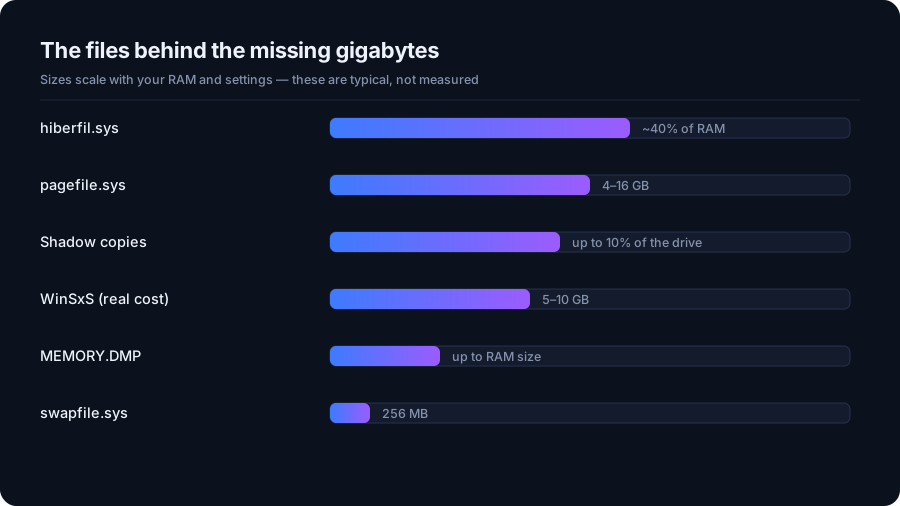
hiberfil.sys, pagefile.sys and Friends: Windows' Hidden Multi-GB Files
The large Windows files you never see in Explorer - hibernation, page file, shadow copies, memory dumps and WinSxS - what each is for, and which can go.
Deep dives on disk architecture, developer caches, safe filesystem cleanup, and reclaiming gigabytes on Windows & Mac.
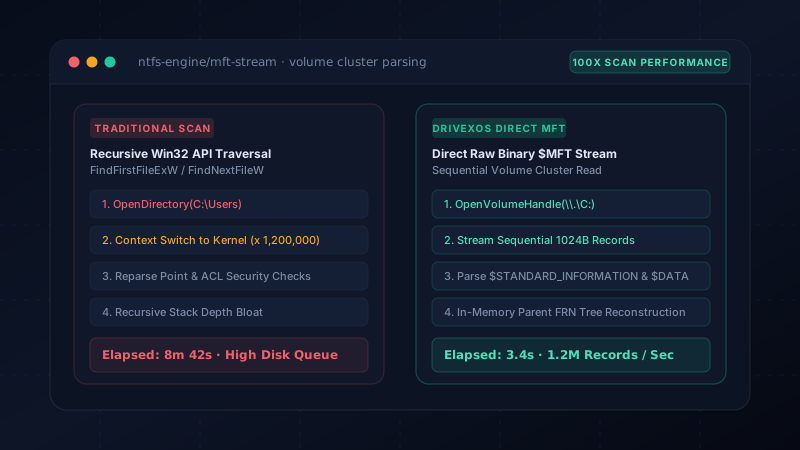
Why streaming raw Master File Table ($MFT) records indexes 1,500,000 files in under 4 seconds while standard recursive Win32 FindFirstFile APIs take 15 minutes.
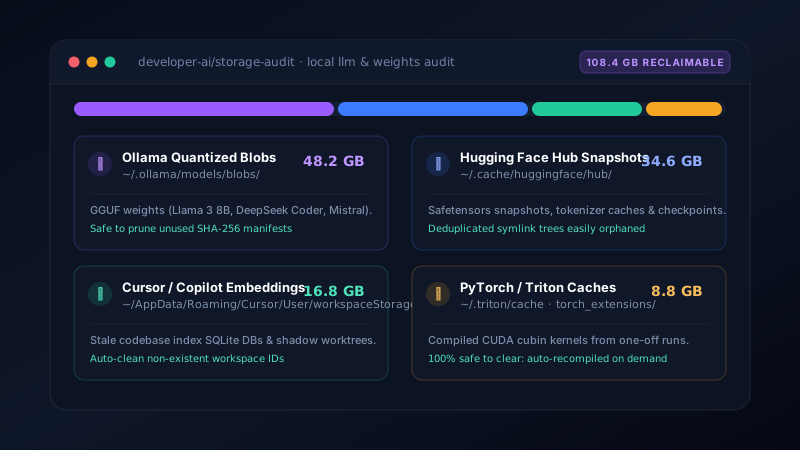
Where local LLM GGUF weights, Hugging Face snapshots, Cursor workspaceStorage vector DBs, and Triton CUDA caches hide—and how to safely clean them.
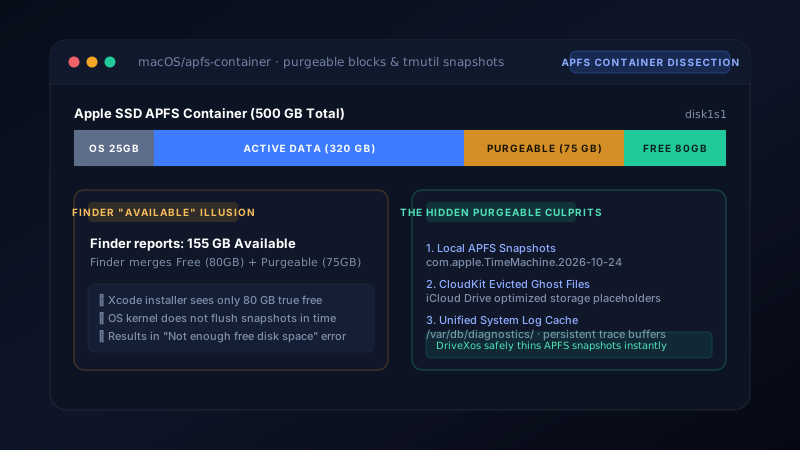
Why Finder reports 80 GB available while Xcode refuses with "disk full", how local Time Machine snapshots pin deleted blocks, and how to reclaim true free space.
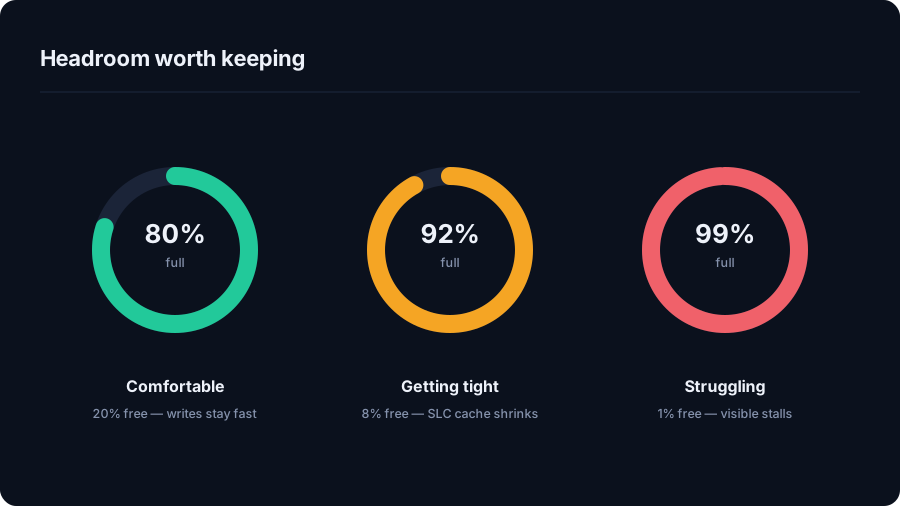
How DriveXos helps you understand SSD usage, find large files and recover storage headroom with a clear cleanup preview.
Understand pagefile.sys and how DriveXos helps explain Windows disk usage while keeping cleanup focused on appropriate files.
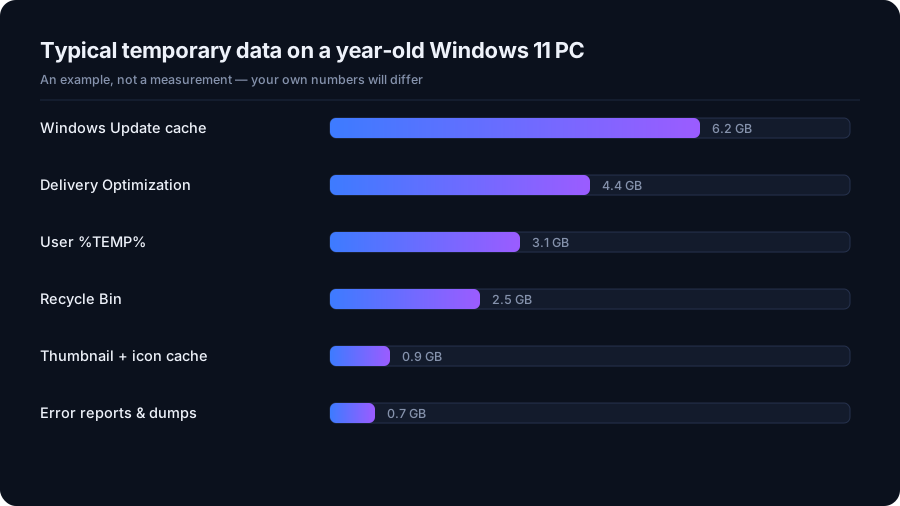
How DriveXos helps assess Windows 11 temporary files with cleanup previews, risk information and protection for important system locations.
The large Windows files you never see in Explorer - hibernation, page file, shadow copies, memory dumps and WinSxS - what each is for, and which can go.
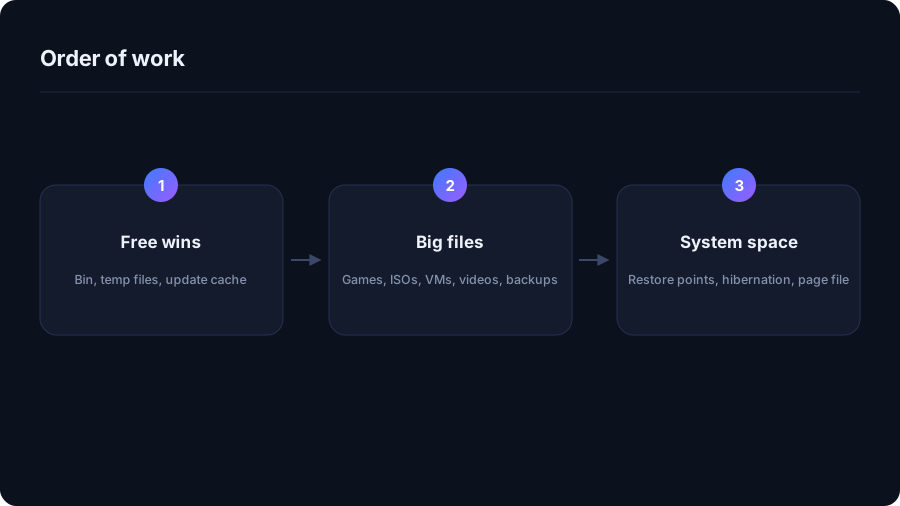
A step-by-step order of work for a full Windows 11 system drive, from the safe wins to the ones that need thought - and what to leave alone.
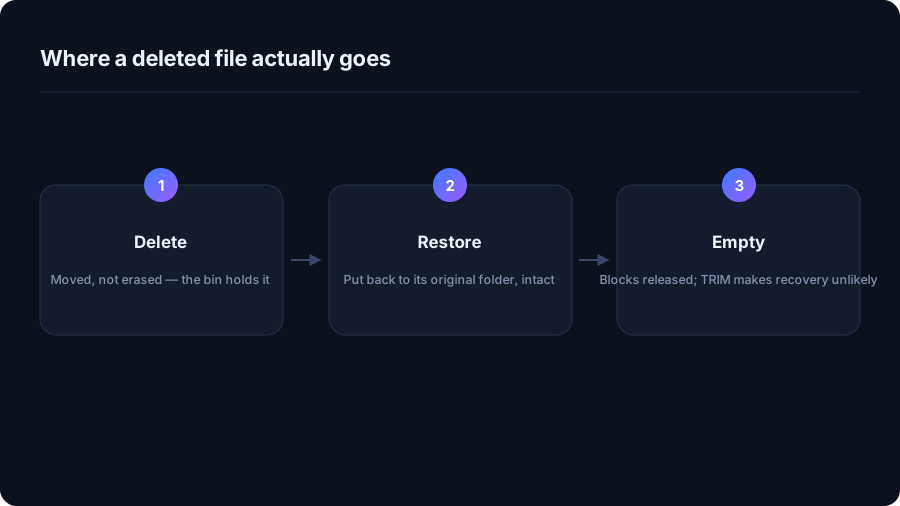
Which deletions are reversible on Windows and macOS, which quietly skip the bin, and why recovery tools rarely help on an SSD.
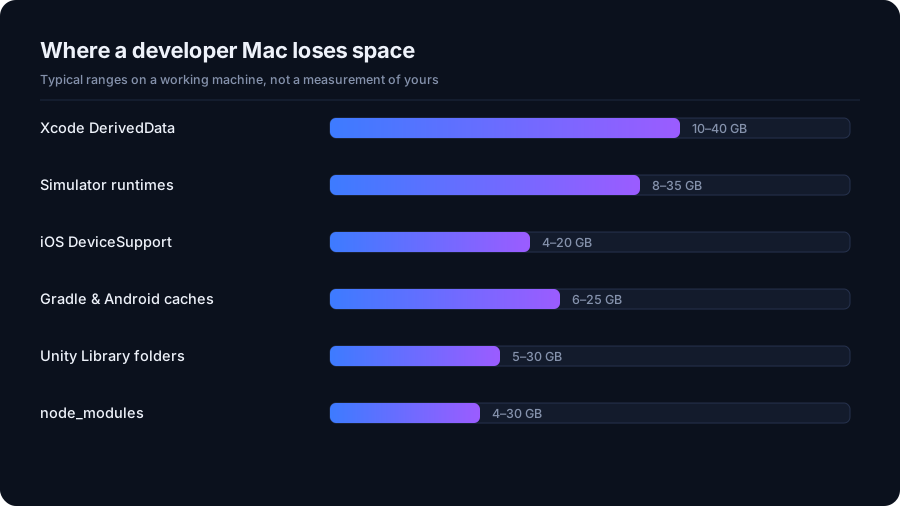
Derived data, simulator runtimes, Gradle caches, AVDs and Unity Library folders: where a developer Mac loses 100 GB, and the safe way to get it back.
Why a nearly full SSD slows down, how much headroom is worth keeping, and which maintenance habits from the hard-drive era to drop.
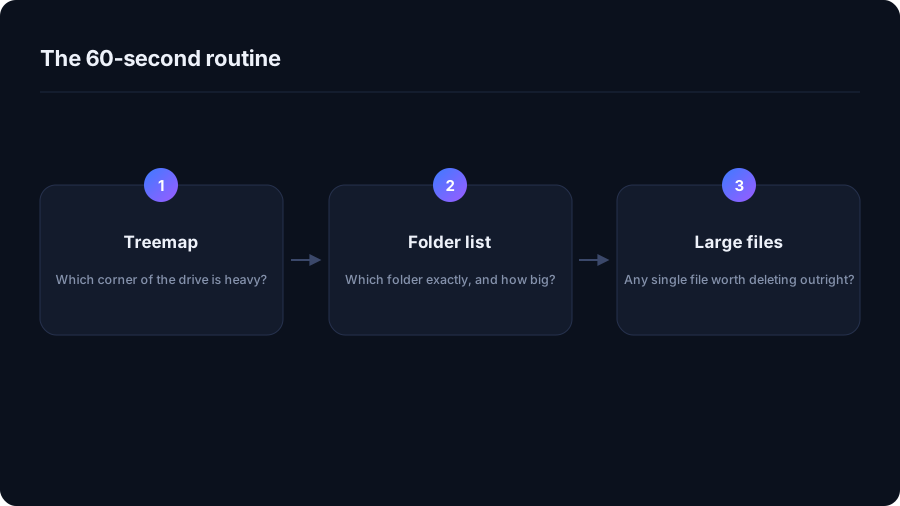
A treemap shows shape, a folder list shows numbers. Here is how to use both to find the folder responsible for a full drive in about a minute.
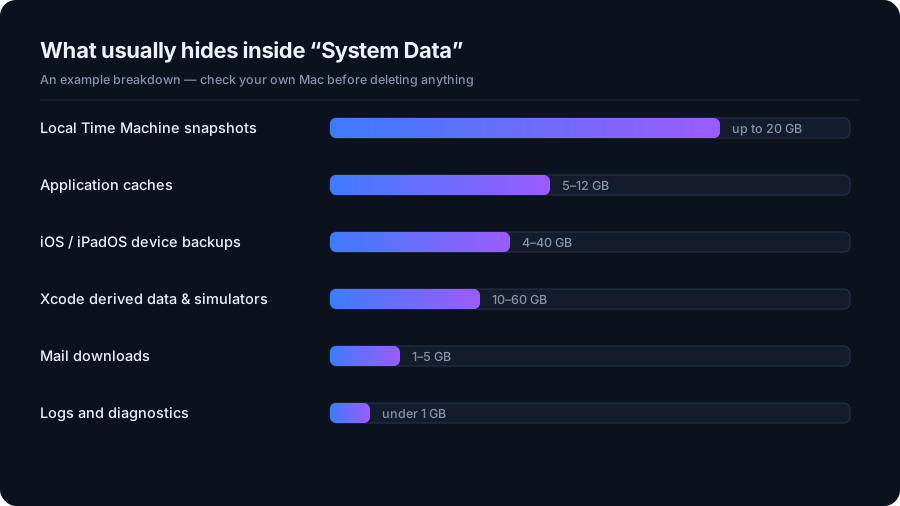
Why System Data on a Mac grows to tens of gigabytes: local Time Machine snapshots, caches, iOS backups and developer files - and which ones are safe to clear.
Which Windows temporary files you can delete safely, which ones come straight back, and which folders you should leave alone - with the real locations on Windows 11.
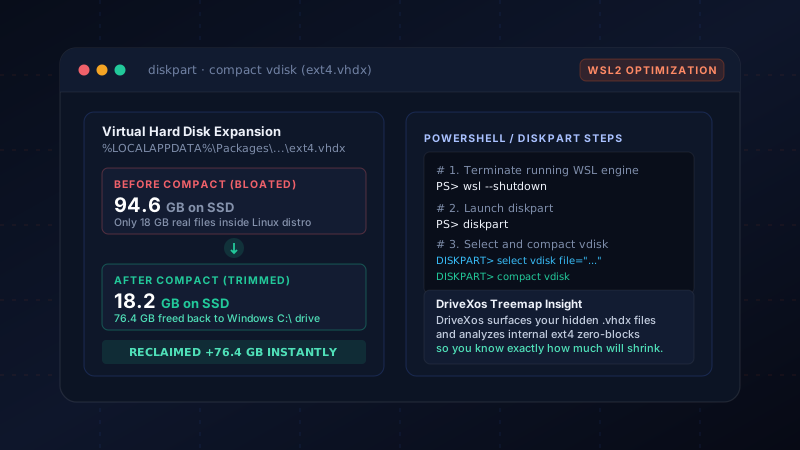
Why deleting files inside your Ubuntu WSL2 distribution never frees space on your Windows C: drive. Learn how dynamic VHDX expansion works and step-by-step compacting commands.
How DriveXos helps explain a large Mac System Data total through folder sizes, large files and supported cleanup categories.
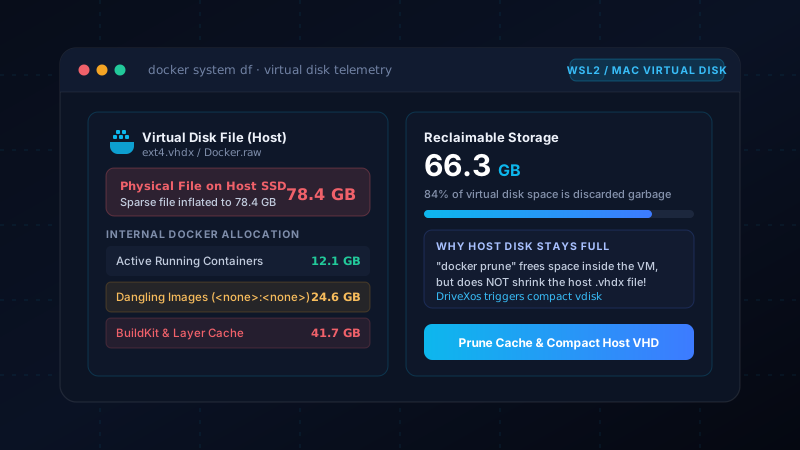
How DriveXos helps explain Docker storage on Mac with image, container and build-cache analysis and reviewed Docker-aware cleanup.
How DriveXos makes Mac storage easier to understand with a visual treemap, folder breakdowns and a view of large files.
How DriveXos helps explain Windows temporary storage, compare it with other disk usage and review cleanup candidates before removal.
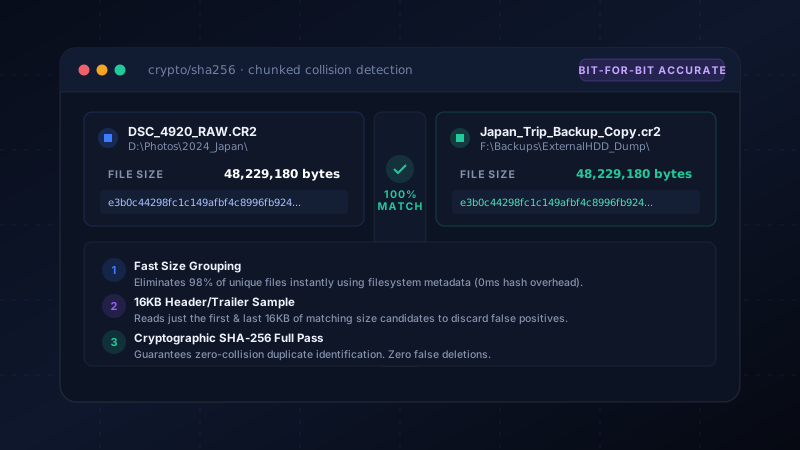
Renamed photos, copied downloads, and identical videos with different timestamps deceive naive tools. Here is how multi-stage chunk hashing guarantees bit-for-bit duplicate discovery.
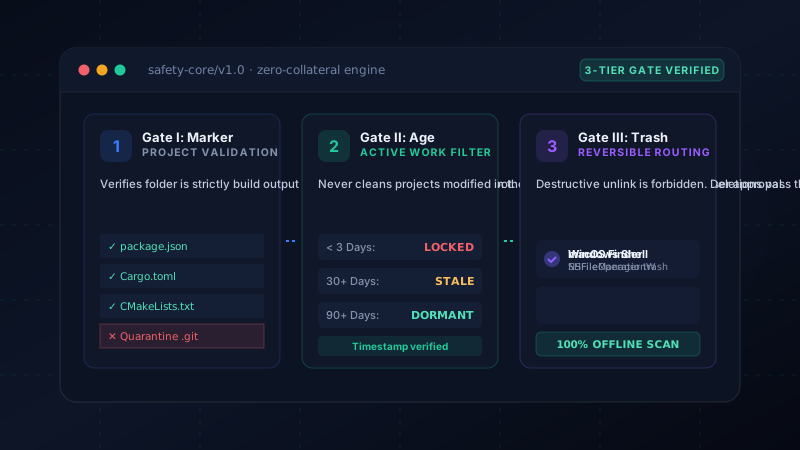
Aggressive cleaning utilities often brick development environments by blindly wiping files. Explore the 3-tier safety gate architecture that protects your active source code.
Dangling images, intermediate layer caches, and BuildKit artifacts quietly consume 60GB+ inside Docker's virtual disk. Here is how to prune layers and reclaim actual SSD storage.
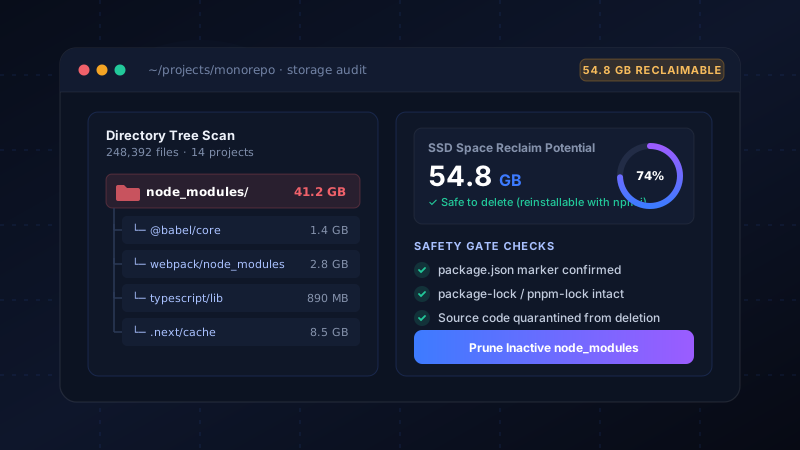
Every tutorial and side project leaves behind hundreds of megabytes of nested packages. Why Windows Explorer chokes on them, and how project markers enable instant safe pruning.
DriveXos scans your entire drive in seconds, reveals your developer caches and duplicate files, and lets you clean gigabytes with verified safety gates.