
User guide · 5 of 9
Clean up safely
Nothing is removed because a scan found it. You choose, you see the list, and you confirm.
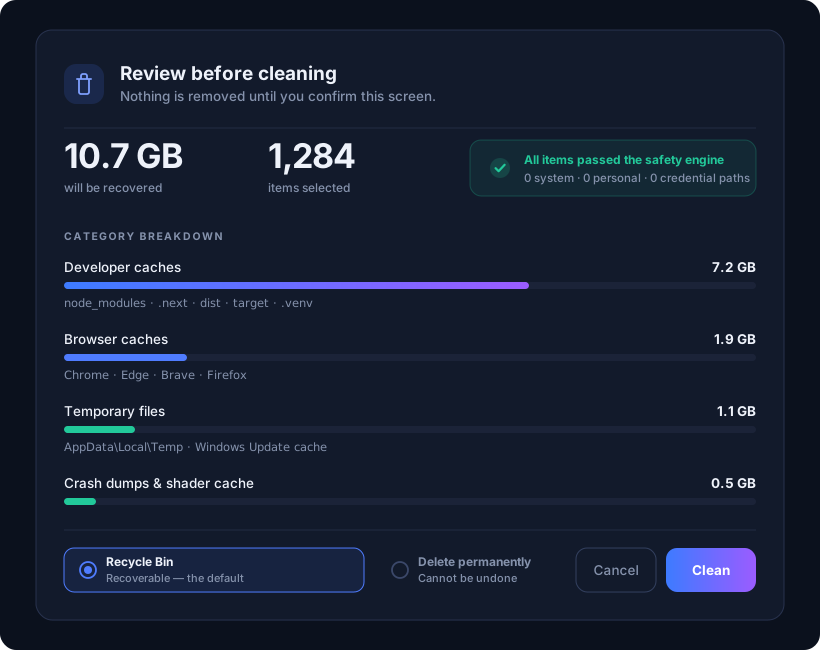
- Pick a cleanup tool. Windows Cleanup is the safe place to start. On a Mac the same tool clears app caches, logs, temporary files and the Trash.
- Read the preview. Every item shows its size and how risky it is to remove. Untick anything you want to keep.
- Press the clean button and confirm. The total you will free is shown first.
What DriveXos refuses to touch
Every path is checked again at the moment of deletion, even if the list already filtered it. These are blocked outright:
- Windows, system, boot and recovery locations.
- Your documents, photos, music and other personal libraries.
- Credential files — keys, certificates,
.ssh,.env, databases. - Anything on your own exclusion list in Settings.
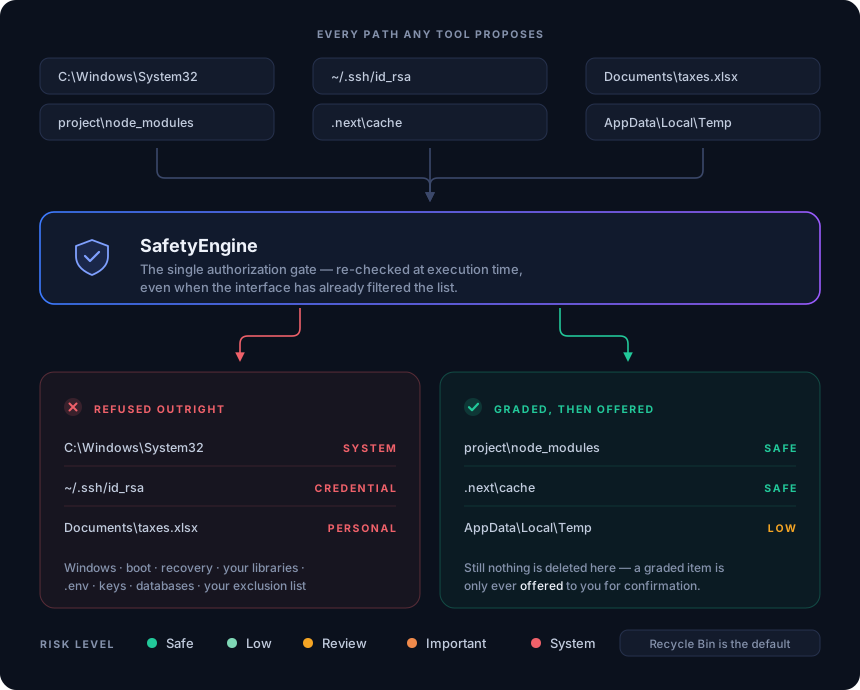
Removed files go to the Recycle Bin, or the Trash on a Mac, so a change of mind costs you nothing. Getting a file back takes a few seconds.
Something here unclear, or not working for you?