
User guide · 2 of 9
The DriveXos window
Everything lives in one window. Four things are worth knowing before you start.
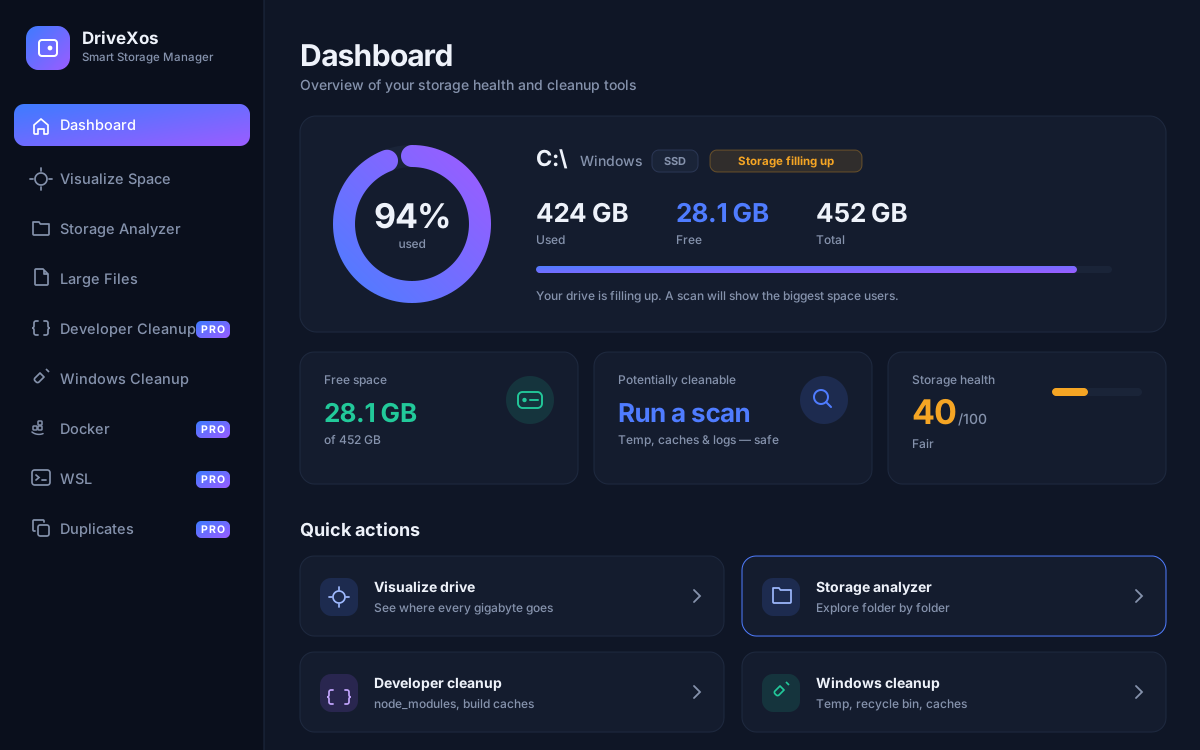
- The list on the left is every tool. Tools marked PRO need a licence; the rest are free forever. See what each one does.
- The drive picker at the top chooses what you are looking at. Change it any time and the page you are on follows.
- Search, in the title bar, jumps straight to a tool by name.
- Settings, at the bottom of the list, holds the theme, your exclusion list, the scan speed and the update check.
What is in Settings
- Theme — light, dark, or follow the system.
- Exclusions — folders DriveXos must never touch. Anything you add here is refused by every tool.
- Send to the Recycle Bin — on by default, so cleanups stay reversible.
- Fast scanning — quicker scans, at the cost of a little accuracy.
- Updates — check for a newer version, and see which one you are running.
Something here unclear, or not working for you?