
User guide · 4 of 9
Find what is filling your drive
Three views answer the same question in different ways. Start with the picture.
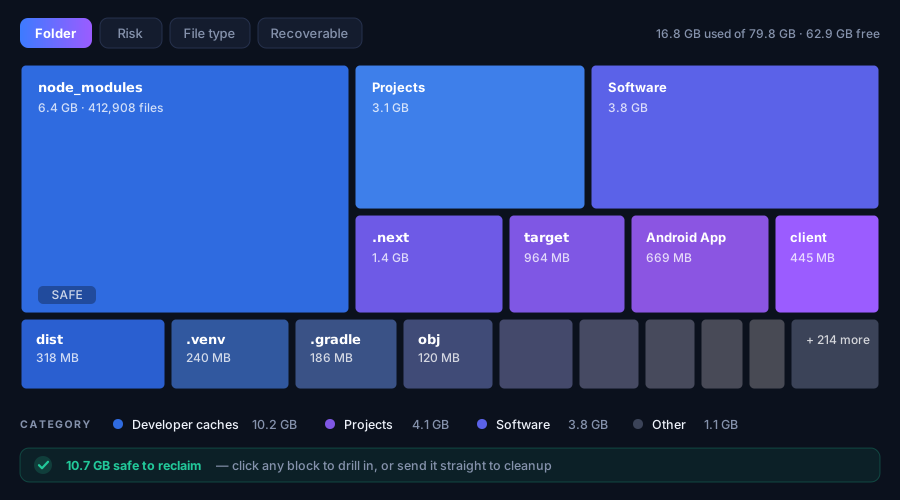
Visualize Space
Your drive drawn as blocks. The bigger the block, the more space it takes. Click one to go inside it, and keep clicking until you reach the folder that is actually to blame.
Storage Analyzer
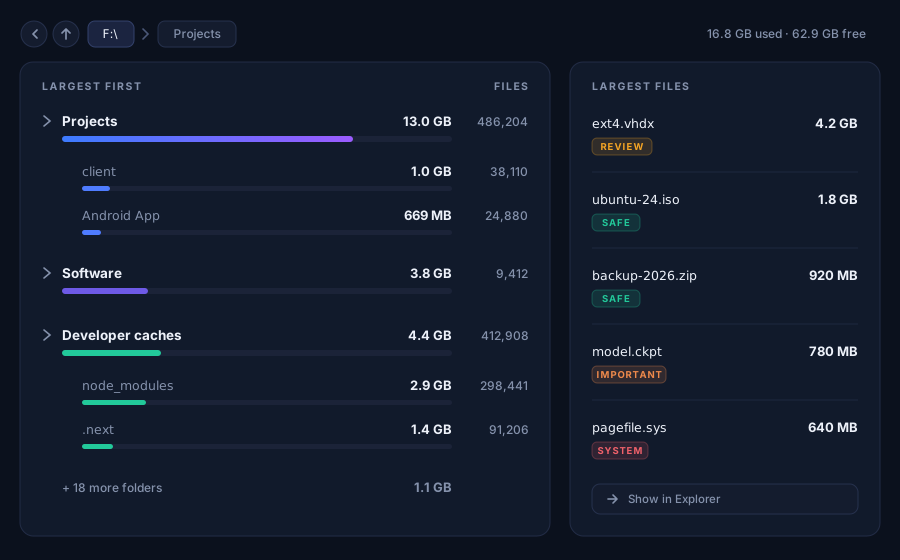
The same information as a list: folders sorted largest first, with sizes and file counts. Better when you want numbers rather than a picture.
Large Files
Skips folders entirely and lists the biggest single files on the drive — usually forgotten downloads, videos, virtual machines and disk images. Often the quickest win.
Found something to clear? Clean it up safely.
Something here unclear, or not working for you?